Booked a flight with United and wondering when to leave for the airport? You are not alone! There are thousands of passengers who reach the airport just to find that the flight is either delayed or canceled. So, how to avoid this? Get United flight status on your fingertip and dodge every inconvenience that might be waiting ahead. A flight status tool informs you about the gate, terminal, arrival & departure times, and other essential information about the flight.
In this guide, we will take you through every aspect of the flight status of United Airlines, so you can adjust your travel plans every time as per the changes made by the airline.
What Is the Information Required to Check United Flight Status?
United Airlines flight status provides the accurate information to passengers about the flight and assists them in planning their perfect journey. However, there is certain information that passengers need to share in order to get the reliable information and specific information. The information required to check the flight status is as follows:

- Flight Number: The flight number of United Airlines starts with UA and is followed by numbers. You can get the flight number in the confirmation email or boarding pass.
- Departure Airport: The airport from which the flight will take off.
- Arrival Airport: It completes the routes and helps to determine the exact flight, especially when the flight number is the same.
- Date of Departure: It is important information to share in order to get the details of the specific flight because the same flight number might be operating on different days of a week.
Note: The passenger either requires the route or the flight number to access the flight status of United Airlines.
Who Can Track United Airlines Flight Status?
Anyone can check United flight status, who are directly or indirectly connected to the United journey. It does not particularly require a booking to access the flight status. Here are the people who commonly check the flight status:
- Passengers: A passenger looking for key information about their booked flight, such as the time of arrival or departure, gate, terminal, delay, or cancellation updates.
- Friends & Family: There are the friends and family members of the passengers who have to drop off or pick up the passengers from the airport.
- Travel Agents & Coordinators: A third-party that provides the travel services to passengers might look for flight status to upgrade the experience of its customers.
- Travel Enthusiasts: There are certain people who track the flight status out of curiosity or passion. They are, however, not connected to the journey directly or indirectly, but they still love to track a record of the flight moving in the air. And since tracking does not require a valid booking, anyone can track the United flight status today.
Why Should You Check United Flight Status?
This is the most common question of the travelers: Is there even a need to check the United flight status? Well, there is! It is because the travel seems quite simple and straightforward while booking, but in reality the final picture may look different. For instance, the airline might have to change the time of departure for some technical error. Here are some more reasons why passengers should always check the flight status before leaving for the airport:
- Confirm & match the timings: Airlines may change the time of departure due to some internal (staff shortage, technical error, inbound flight delay) or external reasons (weather, shifting of runways, or air traffic control). Check the flight status and confirm the departure time to avoid the unnecessary waiting hours at the airport.
- Delay or cancellation updates: Flights often get delayed, and sometimes they need to be canceled, but passengers are unable to find this out until they reach the airport. A flight status tool alerts passengers about delays or cancellations.
- Real-time updates: The flight details keep on changing until the last minute. The flight status tool regularly updates the passengers in real-time.
- Manage connecting flights: The connecting flight can be frustrating, especially when there is a tight layover. Getting the information of the gate, terminal, and departure time will help the passengers manage their connecting flight better.
- Plan a smooth pickup or drop-off: If you are the relative or friend of the passenger, you might have to drop or pick up the passengers. Knowing the exact time of departure and arrival helps you to plan better and reach the airport on time.
How Do I Check the United Flight Status?
The passengers have multiple ways through which they can acquire the United flight status. These options include flight number, route, or notifications, and the passenger can choose one based on their preference.
Check the Flight Status via Flight Number
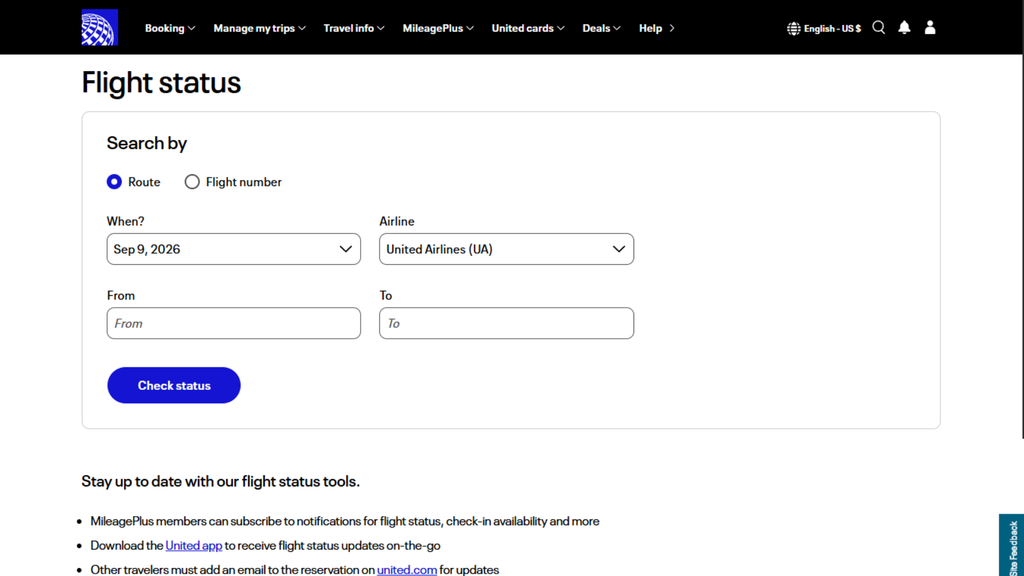
Flight number is the simplest and most used method through which passengers check the flight status of United flights. It is probably because the flight number provides the information of the specific airline. To check the status via flight number, follow the simple steps below:
- Go to the official website of United Airlines.
- Locate “Manage my Trips” at the top of the homepage.
- Select the “Flight Status,” and you will be redirected to the United Airlines flight status page.
- Move the toggle to “Flight Number.”
- Enter the flight number along with the date of departure and tap on the “Check Status” button.
The status of the flight will appear on the screen. You can now view the departure time, gate, terminal, and more of the selected flight.
Check United Flight Status via Route
When a passenger fails to find out the flight number or is looking for the options of flights on a specific route, they can search for the flight status using the route option. To check the flight status using the route, go by the simple steps below:
- Move to the United Airlines flight status page directly.
- Click on the “Route” on the flight status widget.
- Select the airport of departure and arrival.
- Open the calendar and select the date of departure.
- Tap on the “Check Status,” and the details will appear on the screen.
The details carry every essential piece of information about the selected flight. You just have to click on the “view details” and access the key information of the flight.
Get Flight Status Notifications
Getting the United flight information status through notification ensures you get the real-time updates. For this, you do not have to share any information with the airline. The passengers can subscribe for the notification both via the United mobile app or website. Here is how to do it:
- When you are making the reservation, you need to share your mobile number and email address with the airline.
- You can also push the notification bar after the booking on the United mobile app after the booking.
You only need to choose one of the options mentioned above, and United will provide real-time updates about your flight. Whenever there is a change to the flight details, such as a delay, cancellation, gate change, or schedule adjustment, United will notify you promptly.
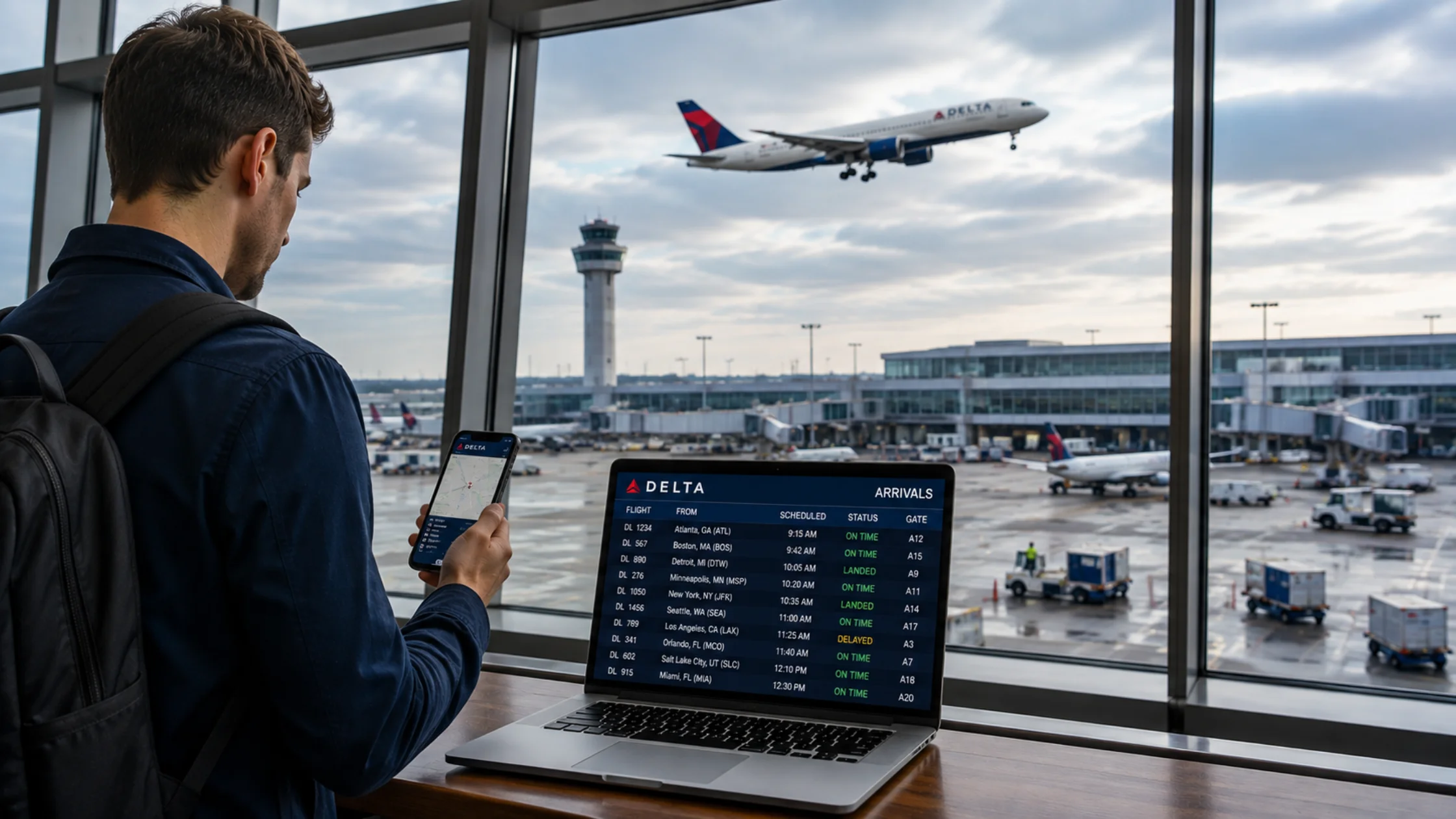
Read Also: – How to Track Delta Flight Arrivals Today Online
What Do United Airlines Flight Status Labels Mean?
When passengers view the flight status, they come across one word. These words are the terms used by the airline to tell the current status of the flight. However, some passengers may get confused and unable to crack the meaning behind it. The table below describes the meaning of each term used by the United Flight Status tool.
| Status | Description |
| Scheduled | The flight will operate as per the timetable, and there is no sign of delay as of now. And the operation is on hold right now. |
| On Time | The flight is scheduled to depart or arrive at the airport as per the schedule. As of now, there is no delay, but it may change. |
| In Air | The flight is in the air right now and is moving towards the destination. |
| Delayed | The flight is running late from the schedule time. It means the time of departure or arrival has shifted forward. |
| Canceled | The airline has discontinued its services for the booked flight, and passengers are now required to rebook its flight. |
| Diverted | The flight has changed its route and has landed at an airport that was not originally scheduled in the booking. |
| Expected | An estimated time of arrival is given, and the aircraft is getting closer to its destination. |
| Landed | The flight has landed on the runway but has not stopped yet. |
| Departed | The flight has left the airport, and the passenger cannot board the plane anymore. |
| Arrived | The flight has reached the airport, and passengers can now deboard from the plane. |
Tips for Checking United Airlines Flight Status
- Check before leaving for the airport: The schedule of the flight can change for various reasons, such as weather or operational reasons. Therefore, the passengers must check the flight status before heading to the airport to confirm the departure time.
- Use the flight number whenever possible: The passengers are suggested to use the flight number to get the result of a more specific flight.
- Check the status again before departure: A flight may be on time earlier, but it gets delayed later, or the gate changes before departure. Therefore, you must confirm the flight details.
- Keep notifications enabled: To receive the real-time updates on the flight, always keep the notifications turned on.
Conclusion
Checking the United flight status before moving to the airport will help the passengers save themselves from unnecessary disruptions of the travel. Whether you have a booking or not, checking the flight status is easy via flight number, route, or directly getting the real-time notifications to stay updated on gate, terminal, departure & arrival time, delay, cancellations, and more. Use the information above and check the flight status to stay updated for a hassle-free journey with United Airlines.
FAQs
To check the flight status of United, move to the United Airlines flight status page, and select your airline as United Airlines, and then enter the route or flight number along with the date of travel.
Yes, you can easily check the flight status online by accessing the United Airlines flight status page. To check the flight status online, you will require the route information or flight number.
To check the current status of the flight, you can push the notification bar on the United app or share your phone number or email address while booking and get the notification of real-time updates directly to your mobile phone.
Read More: