
Empower your journey with a real-time flight tracker! Passengers often seem to refresh their phones multiple times to know if their flight is on time or where the departure gate is. Let’s accept the fact that flight delays, last-minute changes, and gate changes are more common than earlier. If you reach the airport and find out your flight is delayed or departure gate has changed, it might create a situation of chaos and frustration. Avoid this from happening with a flight status tracker. In this guide you will understand how to track a flight, how it works, and why it is useful.
What Is Real-Time Flight Tracking?
A real-time flight tracker is a technology that can be used to keep an eye on a flight’s precise location, movement, and status. By using a flight tracker, one can receive updates on the paths, speed, expected arrival times, potential gate changes, or whether the flight is running on time or delayed. The flight tracker tools allow the passenger to access the data of the flight and plan their journey effectively.
How Does Real-Time Flight Tracking Actually Work?
The live flight tracker is a combination of several technologies used to give accurate information about the flying aircraft in the sky.
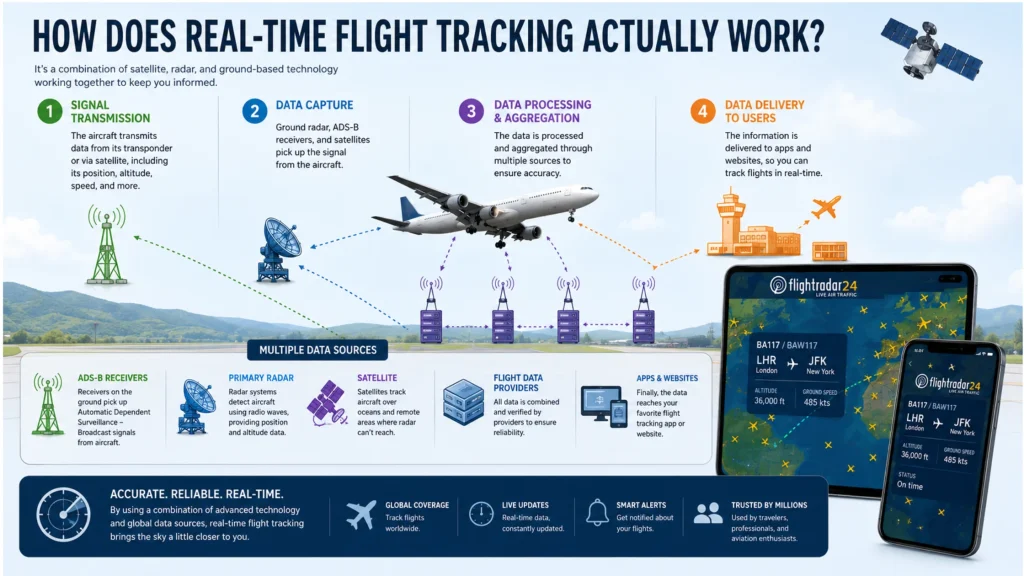
1. ADS-B (Automatic Dependent Surveillance–Broadcast)
The majority of commercial aircraft have an ADS-B transponder sending GPS data (position, altitude, speed, and identification) every second. Many operated by hobbyists, ground-based receivers provide a crowdsourced near-real-time data network.
2. Radar Data
Secondary surveillance radar (SSR) from ATC towers (equipped with flight radar tracker and radio system) is a secondary means employed for tracking aircraft in the same way as ADS-B but offers limited coverage over ocean areas and out-of-the-way locations.
3. MLAT (Multilateration)
In older aircraft, where the ADS-B transponder is not available, multilateration is used. The system can measure the small time differences between the plane’s signal arriving at several ground receivers and mathematically determine the plane’s precise location.
4. Airline & Airport Data Feeds
Flight tracking platforms also collect data about the scheduled times, gate assignments, and baggage information from the airlines and airports, providing a comprehensive overview of flight statuses.
These systems form a data pipeline that is updated every few seconds that gives an accurate view of air traffic.
Key Benefits & Features of Real-Time Flight Tracking
A flight tracker is a tool that provides more than just an airplane’s location. Get the complete picture of a flight in real time. Go through the points below and understand what the flights tracker can do:
- Live flight status: A flight tracker and status provides you with real-time updates to know if your time is on time, delayed, or canceled.
- Departure & Arrival Updates: You will get the information related to the terminal and departure and arrival gates of your booked flight.
- Delay Notifications: If your flight is delayed from the scheduled hour, you will be notified through SMS or email.
- Gate Change Alerts: If there is a last-minute gate change, the flight tracker will inform you well-in advance.
- Historical Flight Data: The historical flight data helps the passenger to understand if the flight is punctual or not.
- Route & Path: The flight tracker map projects the complete path from departure to arrival, including the deviation (if any).
- Aircraft Type Info: You can also get the information of the flight type that you are flying in. This information is essential to plan your seating arrangements, as legroom and comfort can differ on different seats of different aircraft.
- Weather and airspace info: Some of the advanced flight trackers provide the real-time update related to air traffic visuals and weather conditions to show what is actually causing the delay.
How To Use a Flight Tracker—Step by Step
With the advancement of technology, flight tracking has become incredibly simple. Almost all airlines share the live status of their flights, allowing the passenger the maximum comfort and flexibility. Simply go to their website or download the mobile app and track flights to receive the real-time data. To track aircraft flights’ live status via the official website, follow the steps below:
- Open a browser and visit the official website of the airline operating the flight.
- Locate the “Flight Status,” “Track,” or “Flight Tracker” available in the main menu.
- Enter the flight number and departure date. Alternatively, you can search via route; simply enter the departure and arrival cities.
- Click on search or check flight status. The complete information, including the flight time, delays, departure gate, and more, will flash on the screen.
Note: Passengers inside the plane can access the airplane’s in-flight tracking map to know the current location of the flight, estimated arrival time, and more. This type of flight tracker is a part of in-flight entertainment.
What are the Best Websites to Track Live Flight Status in Real Time?
An airline’s official flight tracker lacks a bit of information and often does not provide you a clear picture. For instance, most airlines do not reveal the flight delay information until the last minute. Therefore, it is important to verify the information on a third-party website to get the correct information. There are numerous websites dedicated specifically to this purpose, and thus you can rely on their information.
1. FlightAware Flight Tracker
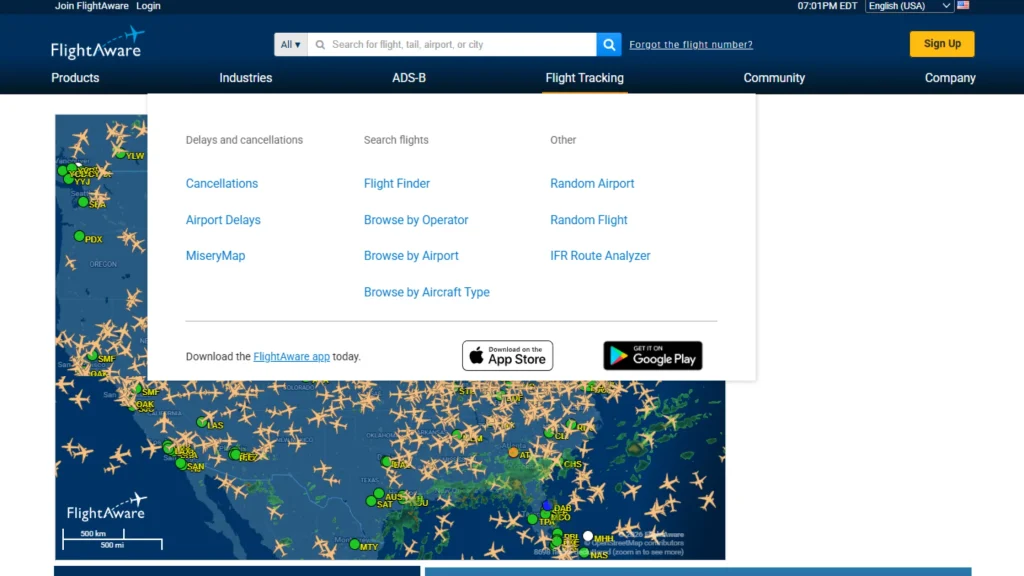
FlightAware is one of the most popular flight tracking websites, offering real-time details on commercial and personal aircraft flights worldwide. It provides accurate flight path, arrival and departure information, gate information, delays, and a live flight tracker map of the flights using information from ADS-B. It’s also full of historical flight data, weather overlays, and even a mobile app, making it a good choice for travelers and other individuals who need thorough and up-to-date flight data on the spot.
Cost: It is a free flight tracker tool, and $2.99 is for additional features and an ad-free experience.
2. FlightRadar24 Tracker
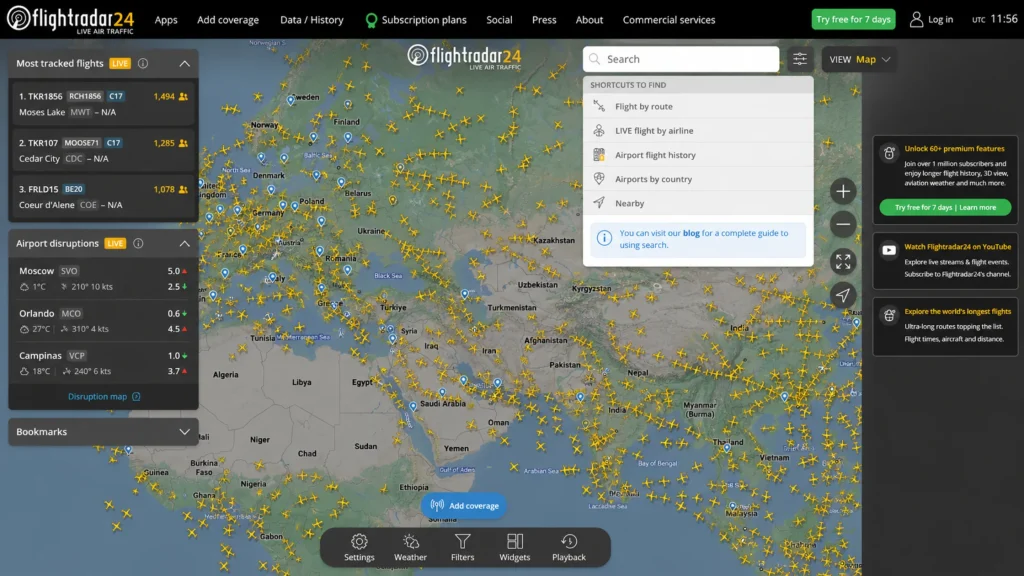
FlightRadar24 is a popular and interactive website that allows passengers to track live flights of thousands of aircraft around the world. It uses the technologies of ADS-B, MLAT, and satellite tracking to display the flight path, altitude, speed, and aircraft type of individual aircraft. It comes with a lot of images and the option to view the planes in 3D and can track flights over oceans and remote locations, so plane spotters and aviation enthusiasts will be especially interested in it.
Cost: Free to use with basic features; get the silver plan for $2.99/month (flight tracking statistics, historical data, aircraft registration data, and vertical speed) and the gold plan for $6.99/month (365 days of flight history, live weather layers, and aeronautical charts).
3. FlightView Flight Tracker
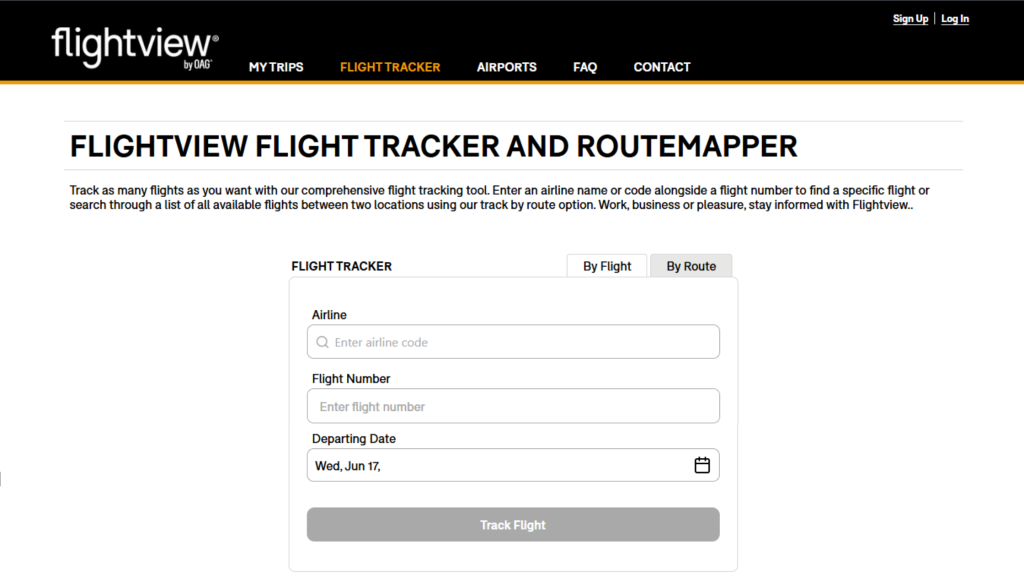
FlightView provides accurate live flight data, including flight status, delays, and cancellations for airlines and airports worldwide. Frequent flyers are widely using it for its ability to provide reliable real-time data feeds and detailed delay maps of airports. In addition to the live flight tracker map, FlightView enables travelers to forward and organize their travel plans to create a multi-device trip log to reference the upcoming travel schedule up to 350 days ahead, making them more informed about their travel plans and making adjustments when tracking tight connections.
Cost: Basic flight tracker is free; the Silver plan is $2.99/month, and the Gold plan is $3.99 for a robust experience.
Can I track flight status via Google?
Google Flight Tracker is a comprehensive tool designed to provide travelers with real-time data related to flights worldwide. Get real-time departure, arrival, delay, and terminal gate information directly through Google Search. No downloads, sign-ups, or logins are required, and the service is completely free. To track live flight status via Google, follow the steps below:
1. Find the flight number
- To start with Google Flights tracking, you must have the flight number and flight code.
- In case you miss the flight number, you can search via route. For instance, a flight from Miami to New York.
2. Open the Google Search
- Get your device and go to the standard Google search.
- Enter the “Flight Number” in the search box and tap enter.
3. Review the interactive tracking card
- Google will automatically flash the live status at the top result box.
- The Google Flights tracker will get the exact progress bar, departure/arrival terminals, delays, and specific baggage claim carousels.
Conclusion
Tracking flights in real time has never been easier. But, with the introduction of advanced technologies such as ADS-B, GPS, and flight radar trackers, the passengers can remain informed about the flight’s status, gate changes, and delays. Every airline has its own flight tracker tool, which provides basic information. For added convenience, third-party websites offer real-time updates. Additionally, you can access Google for quick updates.
FAQs
Tracking a flight has become extremely simple. Simply log in to a dedicated flight tracker website and enter the flight number; the live status of the flight will appear on the screen. Alternatively, you can enter the route and view the flight’s live status.
A number of well-established platforms have built strong positions in this niche and provide dependable data sources, including FlightAware, FlightRadar24, and FlightStats.
The iPhone users do not require downloading a third-party app. The iPhone is equipped with a built-in flight tracker through the Messages, Notes, or Spotlight Search apps. Just put the flight number and the live updates.
The flight trackers, such as FlightRadar24 and FlightAware, offer their services free of cost. These platforms can provide you with information like departure/arrival terminals, gates, and flight paths.
The Google Flights tracker is free to use. Simply visit the search bar and enter the flight number and search; the complete data of the flight, including departure/arrival, gate information, delays, etc., will flash on the screen.
Read Also: –